 English ▾


CapCut video editor for iPhone and iPad
iOS does not use APK files. Install CapCut from the App Store and updates are handled for you.
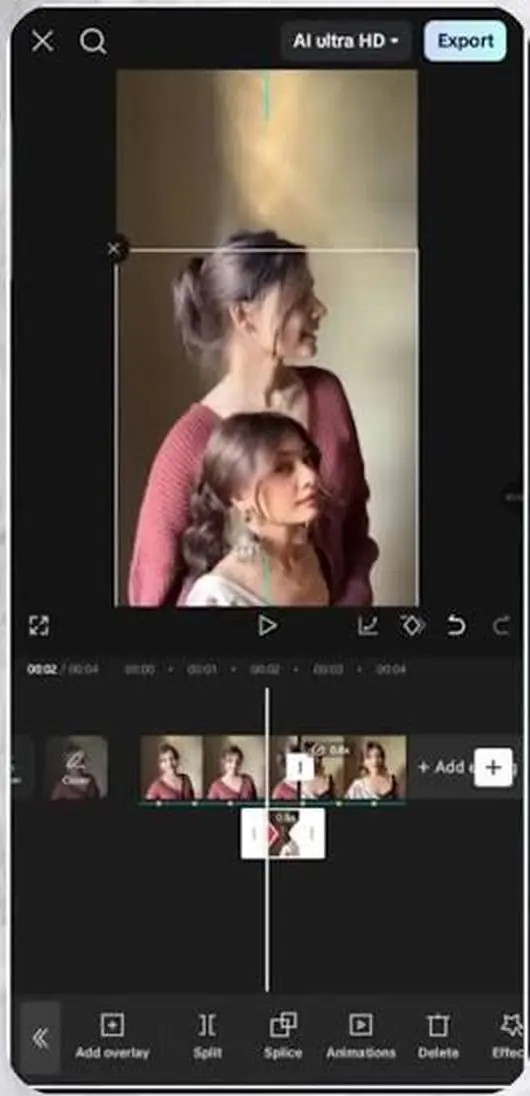
How to install
- Open the official pageOpen the App Store and search for CapCut.
- DownloadTap Get and confirm with Face ID or your password.
- InstallOpen the app and allow access to your photos.
- Start editingAdd a video, apply effects and music, then export.
Made for iPhone and iPad
Everything you need to create short videos on the go.
Smooth on your device
CapCut is designed for touch. Pinch to zoom the timeline, drag to arrange clips and tap to add effects.
Great with your camera roll
Edit the photos and videos you just recorded, then share straight to your favourite apps.
Updates handled for you
Install from the App Store and updates arrive automatically, keeping your tools fresh.
What you can create on iOS
Whether you want a quick Reel, a travel montage or a product video, CapCut gives you the essentials: trimming and splitting, music and voiceovers, auto captions, filters, transitions, keyframes and ready-made templates.
Because the app lives on your phone, you can capture an idea, edit it in minutes and share it while the moment is still fresh.
How to install CapCut on iPhone and iPad
1. Open the App Store on your device. 2. Search for CapCut and check that the developer is Bytedance Pte. Ltd. 3. Tap Get and confirm with Face ID, Touch ID or your password. 4. Open CapCut, allow access to your photos and start a new project.
Tips for iPhone creators
- Record in good light for cleaner footage and better colours.
- Allow access to your photo library so every clip is ready to pick.
- Keep some free storage space, so previews and exports run smoothly.
- Try templates when you want a polished video quickly.
- Update the app regularly to enjoy new features.
CapCut for iOS: common questions
Do I need an APK file on iPhone?
No. iPhone and iPad apps come from the App Store, which installs and updates the app for you.
Is CapCut free on iOS?
Yes, you can start editing for free. A Pro plan is available for extra effects and templates.
Does CapCut work on iPad?
Yes. The larger screen of an iPad is lovely for editing, with more room for the timeline.
How do I update CapCut?
Open the App Store, tap your profile and update CapCut, or turn on automatic updates in your settings.